

All-in-One Field Sales Management Platform
Streamline your entire sales operations with our comprehensive solution featuring lead management, sales analytics, product catalog, and payment processing – all integrated into one powerful platform.
Never let a lead go cold
Capture, qualify, and follow up on every lead from one place — so nothing sits unattended and nothing gets lost between the first contact and the close.
- ✓Lead Creation — Quickly add new leads with essential details including customer name, contact information, lead source, and specific requirements.
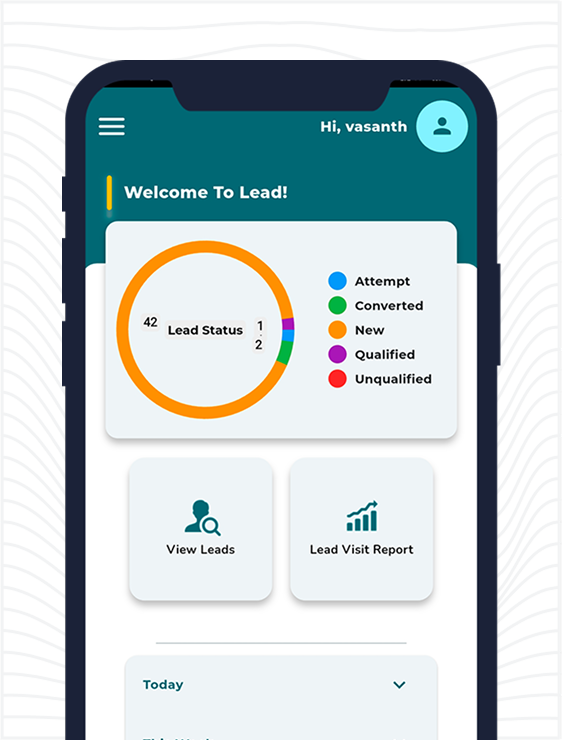
- ✓Lead Status Tracking — Monitor lead progress with clear status indicators (New, Attempt, Converted, Unqualified).
- ✓Follow-up Management — Schedule and track follow-up actions to ensure timely engagement.
- ✓Lead Filtering — View leads by date range and filter by key parameters for efficient tracking.
- ✓Performance Metrics — Monitor total leads, conversion rates, and follow-up counts.
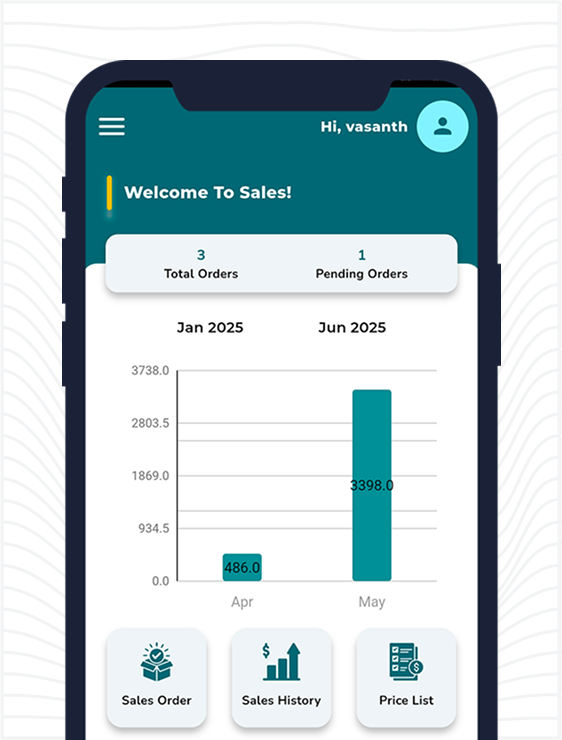
Every order, every trend, in view
A single dashboard for how sales are actually moving — orders, pricing, and history, without pulling separate reports to piece it together.
- ✓Total Orders & Pending Orders
- ✓Monthly Sales Trends
- ✓Sales History
- ✓Price Management
- ✓Order Processing
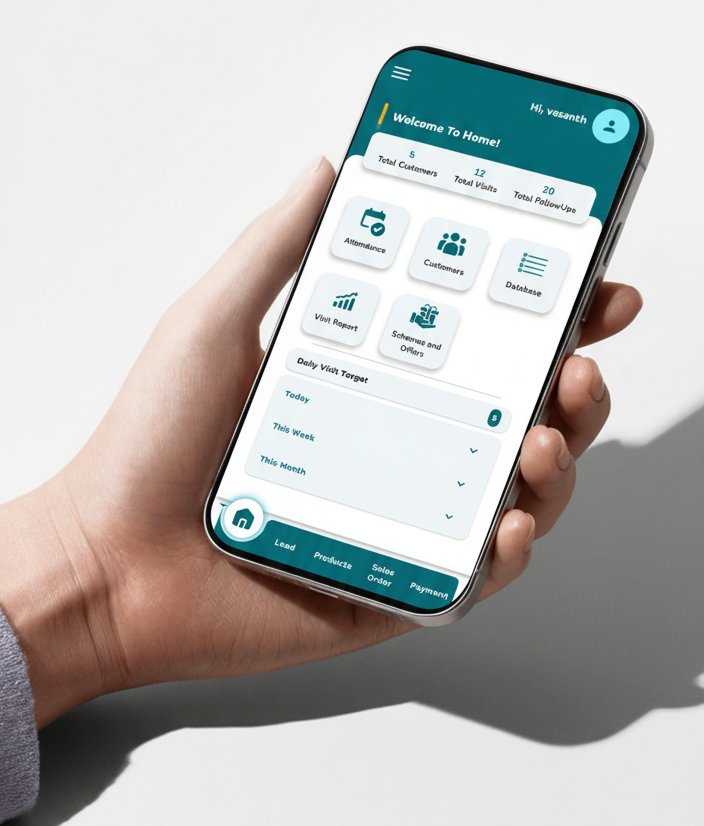
Verified field performance, backed by full visibility
Every punch-in, visit, and order is checked against real GPS and time data the moment it happens — so what lands on your dashboard is exactly what your team did, not what they typed in later.
Get the app


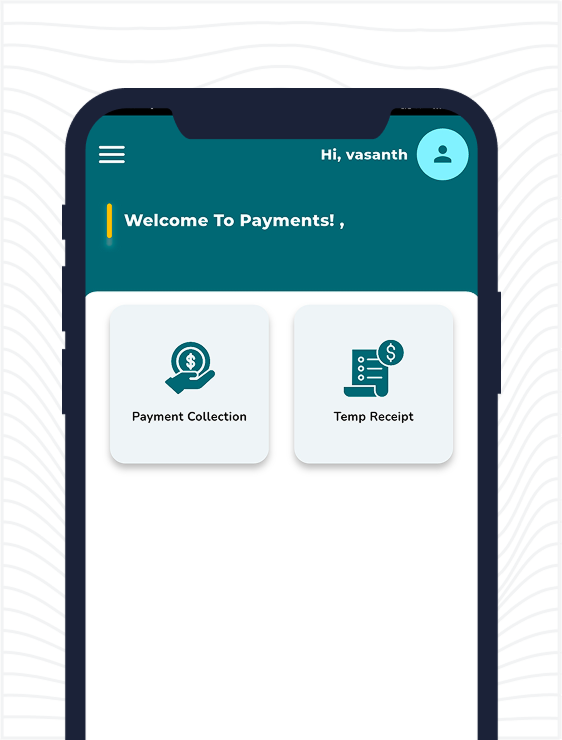
Payments that reconcile themselves
Track and tag every transaction automatically, so finance sees a clean picture of what's collected, pending, and outstanding — no manual reconciliation.
- ✓Automated Regional Tagging — Auto-categorize transactions by location and lead source.
- ✓Smart Pricing Optimization — Dynamic pricing insights for better conversion rates.
- ✓Payment Status Tracking — Monitor pending, completed, and failed transactions.
- ✓Digital Receipt Generation — Instant temporary receipts with customer signatures.
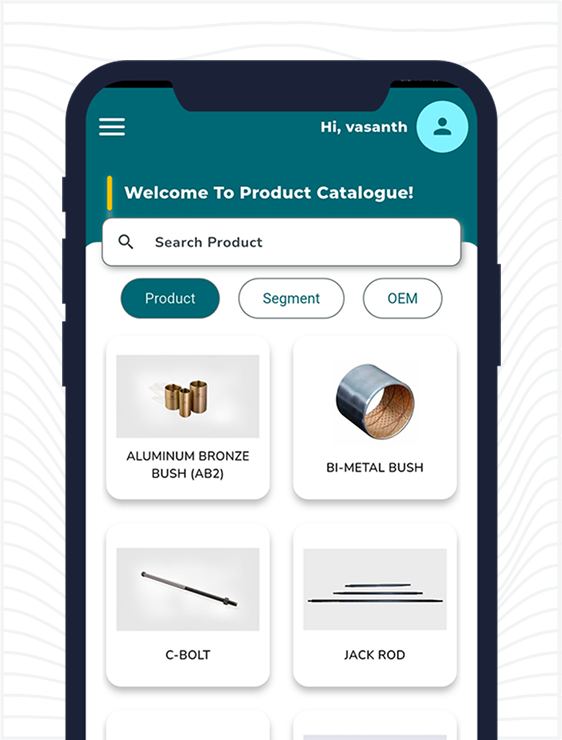
Your whole catalogue, in every rep's pocket
Access and manage your entire product portfolio with our comprehensive digital catalogue. Find products faster, check real-time pricing, and streamline your ordering process.
- ✓Complete Product Catalog — Browse a comprehensive list of available products, each displayed with images and names for quick recognition and easy navigation.
- ✓Advanced Search — Quickly find specific items or spare parts using the search function with product names or keywords, ensuring faster and more accurate selection.
One app for the field, one for the region
Purpose-built mobile apps for the two people who live outside the office — the sales executive on the ground and the regional manager keeping the territory on track.
Sales Executive App
Everything a rep needs between check-in and close
- Login — mobile number or user ID + password, show/hide password, remember me, forgot password
- Dashboard — total customers, total visits, total follow-ups
- Mark Attendance — check-in/check-out with GPS location, date and time
- View Attendance — filter by date range/status, shows working hours
- Add/Create Customer — with GST, address, location, remarks
- View Customer — search, filters, view/edit/call/map actions
- Create Promise — select customer type, distributor, branch state, distributor branch and promise
- View & Update Promise — status tracking, update status and reason for delay
- Create Lead — lead source, product interest, lead priority
- View Lead — search & filter by source/priority/status
- Update Lead — status, stage, priority
- Create Visit Report — purpose, customer type, company name, person met, contact type, part no., remarks, customer feedback, GPS, photo
- View Visit Report — filter by date/customer/type
- Payment Collection — against customer, payment mode, remarks
- Temp Receipt — customer name, payment mode, amount, invoice no.
- Product Catalogue — category filters, images, pricing/availability
- Sales Order — Primary Sales — select by distributor name, branch state, distributor branch
- Sales Order — Secondary Sales — select by distributor name, branch state, distributor branch
- Sales History — filters, item/value/status details
Regional Manager App
Oversight of every executive across the territory
- Dashboard — RM name, total sales executives, current month orders
- Mark Attendance — check-in/check-out with GPS location, date and time
- Sales Executive Attendance — view by executive, date range filters
- Order History — filter by current month, date-wise/shop name, view order details
- View Visit Report — filter by executive/date, view full visit record
- SE View Promise — view sales executives' promises, filter by status/date/customer type
The control center behind every rep
One admin console for masters, accounts, customers, catalogue, orders, attendance, and payments — with analytics that reach down to a single sales executive's day.
- Total Customers — populated by uploading Excel customer data
- Key metrics — Total Customers, Cumulative Sales
- Today's stats — Customers Created, No. of Visits, Primary Orders, Secondary Orders
- Monthly stats — Customers Created, No. of Visits, Primary Orders, Secondary Orders
- Leads Status — donut chart (Attempt vs New) with date range filter, e.g. Last 100 Days
- Leads Stage — chart with date range filter
- Financial Year Wise Report — Primary Orders trend chart, month-wise
- Secondary Orders — month-wise bar chart by order value
- SE Wise Orders — sales-executive-wise order value chart
- SE Wise Customer Visits — visit count per sales executive
- Customer Wise Orders — daily/monthly trend chart with customer legend
- Top 5 Customer Wise Orders — bar chart
- Top 10 Part Number Sold — leaderboard
- Customer Type distribution — Supplier, Dealer, Others, End Customer, Distributor, Retailer
- Region Wise Customer Order — donut chart, South/East/North/West with values
- State Wise Orders — donut chart by state
- Filters — Sales Person, From/To (Month/Year), Report button
- Summary cards — Total Primary Order, Total Secondary Order (with Average %), Visit Report (Actual vs Target), Total Kilometers Travelled, Payment Collection, Customer Type
- Year/Month-wise performance table — Primary Orders, Secondary Orders, Visit Report Actual/Target, Total KM, Payment Collection, Wholesaler/Retailer/Mechanic/Electrician counts
- Drill-down — day-wise detail view per sales executive
- Sales Executive Wise Report
- Visit Report & Visit Summary
- Product Group Wise / Sub Group Wise / Partno Wise Visit Report
- Customer Wise Report
- List of Sales Executives — search by Name/Code, filter by Region/State
- Create New Sales Executive — Name, Code, Mobile No., Email, Region, State, Target Visit Per Day, Password
- Update Sales Executive account
- Account types — Sales Executive & Regional Manager
- Status management — Active/Inactive
- Upload Existing Customers — Excel upload with downloadable template
- View Customers
- Follow Up
- Leads
- Promises
- Dealer Feedback
- Upload Product Catalogue — Excel upload with template
- List Products
- Set Specification
- Product Images, Product Group Images, Sub Group Images, Segment Image, OEM Image
Viewed by sales executive and by customer.
- Price List
- Sales Target
- Primary Orders / Secondary Orders
- Primary PartNo Wise Order / Secondary PartNo Wise Order
- List of Visit Attendance History — filter by date range & sales executive, export to Excel
- Table columns — Code/Executive Name, Date, In/Out Time, From/To Address, Hours, Created Date
- View Details — GPS coordinates and timestamps per visit
- Executive Map View — Google Maps with live location pin & address
- Sales Executive Attendance / Regional Manager Attendance
- Payment Collection
- Temp Receipt
Sales Executive Map View
See every sales executive's current location on the map in real time — always know who's where across the territory.
Manage leads, track team performance, and close more deals — all in one powerful platform designed for field sales excellence.
This comprehensive sales solution makes field team management effortless. Monitor every lead, assign smart daily targets, and analyze performance trends — all from a single, intuitive dashboard.